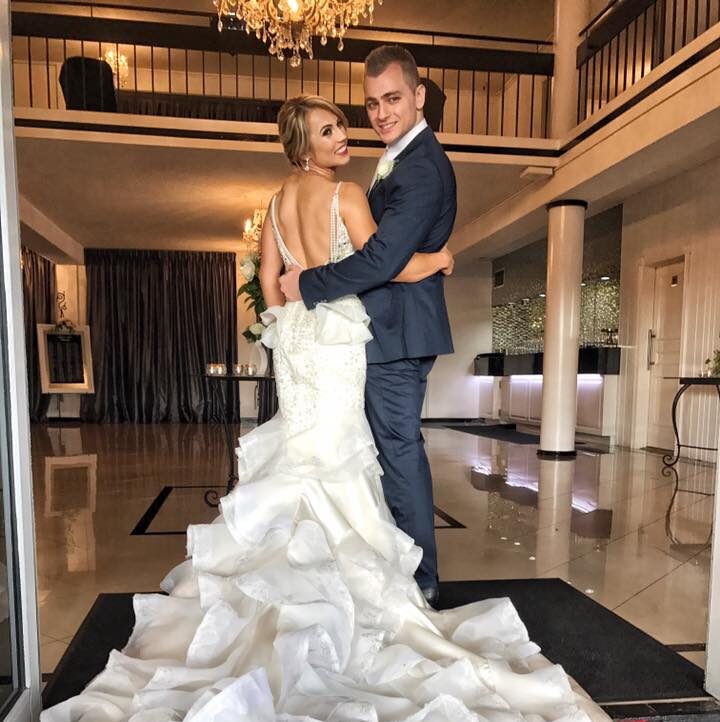
As Australians, we love celebrating love – and the wedding industry here has certainly embraced the digital era. Gone are the days of printing out endless RSVP cards or relying on a giant paper noticeboard to display wedding details. Nowadays, a wedding website is the cornerstone of wedding planning. It serves as the central hub where everything from RSVPs to your love story is neatly organised, offering guests a smooth, stress-free experience.
Creating a wedding website might sound a bit daunting if you’re not tech-savvy, but trust me, it’s easier than it looks. Whether you’re getting married by the beach in Byron Bay or in a chic city venue in Melbourne, your website can reflect your style and personality while ensuring everything runs like clockwork.
In this guide, I’ll discuss the essential steps to create a wedding website that’s functional, beautiful, and designed to delight your guests.
Choosing The Right Platform For Your Wedding Website
Creating your wedding website begins with picking the right platform. But don’t worry, you don’t need to be a tech guru to pull this off! Thanks to the increasing number of easy-to-use website builders, you can have your site up and running in a matter of hours.
Popular Wedding Website Platforms In Australia
If you’ve already done a bit of research, you might have come across a few popular wedding website platforms. Let me share my personal experiences with some of the best options that Aussie couples are turning to:
- WedSites: This Aussie-born platform is perfect for couples who want a professional look without the stress. It’s packed with elegant templates and drag-and-drop features that make it easy for you to build the site. It even offers integrated wedding planning tools like budget trackers – a lifesaver for keeping your expenses on track! I’ve worked with couples who swear by WedSites for the ease they provide, especially when managing guest lists and RSVPs.
- Say I Do: If you’re looking for a no-cost option, Say I Do should be on your radar. It offers free wedding website creation with an array of beautifully customisable themes. Plus, it includes digital RSVP tracking that simplifies guest management. A friend of mine used Say I Do for their country wedding in the Blue Mountains – it was effortless and still looked polished!
- Easy Weddings: This is one of Australia’s largest wedding marketplaces, offering a super-fast website builder with more than 70 wedding-themed templates. If you’re in a rush to get your site up (say, you’ve just found the perfect wedding date and now need to spread the word), Easy Weddings lets you go live within minutes.
- Wix or Squarespace: These general website builders are also excellent choices for couples seeking a more tailored look. They offer beautifully designed photography-focused templates that are highly customisable. The only downside? They can take a bit longer to set up, but the extra time might be worth it if you’re looking for something unique.
How To Select The Right Wedding Website Builder
Choosing the best platform for your wedding website boils down to understanding what you need. I always advise couples to consider their design preferences, the level of customisation they want, and how much time they have to dedicate to the project.
If you’re working on a tight timeline, a simpler platform like Easy Weddings or Say I Do might be your best bet. But if you’ve got more time and want to get creative, Wix or Squarespace offers more flexibility.
Consider these questions when choosing:
- Do you need a built-in RSVP system or are you happy to use a third-party service?
- Will you need extra pages for information like registries or your love story?
- How easy is it to add photos and video content?
A wedding website should work for you, not the other way around!
Essential Elements For Your Wedding Website
Once you’ve chosen your platform, it’s time to start building the content that will make your wedding website truly stand out. Think of it as the digital version of your wedding invitation, but with the added bonus of being easily accessible to all your guests – whether they’re in Sydney or across the globe.
Below, I’ve listed the core elements that every wedding website should include to ensure your guests have all the info they need.

The Must-Have Information To Include
I’ve seen it all when it comes to wedding websites – some that are beautifully designed but miss out on key details, and others that have so much information it’s overwhelming. The trick is to strike the right balance. Here are the key elements you absolutely need to include:
- Your Names, Wedding Date, and Ceremony Time: It sounds simple, but you’d be surprised how often couples forget to list the most basic details! Make sure the start time for both your ceremony and reception is easy to find. In Australia, where daylight savings can make a difference (especially in states like New South Wales), it’s important to specify whether your wedding is in AEDT (Australian Eastern Daylight Time) or AEST (Australian Eastern Standard Time).
- Wedding Venues: Include the full addresses for both the ceremony and reception locations. If possible, integrate Google Maps links for easy navigation. As an example, one couple I worked with had a winery wedding in the Hunter Valley. They included a direct map link to the venue to make it easy for their out-of-town guests to find.
- A Comprehensive FAQ Section: This is where you’ll help your guests avoid the dreaded “I didn’t know that!” By listing answers to common questions, you’ll save yourself from receiving endless text messages or phone calls. Here are a few ideas to get you started:
- Is there parking available?
- Will children be invited?
- Will the bar be cash-only or open bar?
- Will there be a shuttle bus from the hotel to the venue?
By answering these questions upfront, you’ll make your wedding day a lot less stressful for everyone.
- Dress Code: I’ve seen couples leave this out, only for guests to turn up in everything from black-tie gowns to thongs! Be specific about the dress code. If you’re having a formal event at a posh Sydney venue, let people know it’s “Black Tie” or “Formal”. For an outdoor garden wedding in Queensland, you might specify “Garden Party Attire” or “Smart Casual”. Be clear about what the weather might be like, too—Australian climates vary, so a winter wedding in Melbourne will require different attire than a summer wedding on the Gold Coast.
- Schedule of Events: A detailed itinerary is a must. Include times for pre-wedding drinks, the ceremony, reception, and any after-parties or recovery brunches. This allows your guests to plan accordingly. For example, I once attended a wedding in Perth where the ceremony was held early in the day, followed by a long reception with lots of dancing. Including the post-wedding brunch the next morning meant that guests could make plans for the next day.
Why These Elements Are Crucial
Including these essential details helps your guests feel informed and prepared for the big day. You’ll be amazed at how much time and hassle this will save you. And let’s face it, your wedding day is stressful enough without having to answer the same questions over and over.
Plus, a well-organised website will make a great first impression—your guests will appreciate the thought and effort you put into it.
Streamlining RSVPs & Logistics For Your Wedding
The days of paper RSVPs are slowly but surely becoming a thing of the past. Digital RSVP systems are now the go-to solution for managing your guest list, and they come with a bunch of benefits that can save you time and stress.
Benefits Of Digital RSVP Systems
As someone who’s worked on weddings of all sizes, I can tell you that digital RSVP systems are a game-changer. Here’s why:
- Instant Response Collection: Digital systems let you collect RSVPs instantly, so you don’t have to wait for paper invitations to come back. You’ll know immediately who’s attending, who’s bringing a plus one, and whether anyone has dietary requirements. I once worked with a couple who had a wedding in Sydney’s Darling Harbour, and their digital RSVP system helped them manage hundreds of guests’ meal preferences seamlessly.
- Group RSVPs: These systems often allow one person to RSVP for an entire household or family. So if someone is attending with their kids, they can easily include all their details in one go. This saves you from having to follow up with guests for additional info.
- Private Events: A wedding website also lets you keep certain details private, such as rehearsal dinner or after-party details. Only those who are invited to these smaller events will have access to the information. This helps prevent any accidental invites and keeps the vibe of each event intimate.
How To Set Up A Wedding RSVP Website
Setting up an RSVP system on your website doesn’t have to be complicated. Most platforms include built-in RSVP tools. Here’s a simple guide to getting it up and running:
- Choose an RSVP system that integrates with your website builder.
- Set up your event details, including time, location, and the type of response you need (attending, not attending, or with a plus one).
- Add options for dietary preferences, song requests, and special needs (e.g., wheelchair or accessibility needs).
- Once your site is live, share the link with your guests via email, text, or your invitations.
Digital RSVPs streamline the entire process, and with less admin on your plate, you can focus on enjoying the planning process rather than stressing over tracking responses.
Personalising Your Wedding Website
Your wedding website isn’t just a place to share the details – it’s a reflection of your relationship and the excitement surrounding your big day. Adding a personal touch helps your guests connect with your story and builds anticipation. Below, I’ve shared some creative ideas to make your website as unique as your love story.
Sharing Your Story With Guests
One of the best parts about having a wedding website is the opportunity to share your journey with your guests. Whether you’ve been together for 5 years or 15, your story is what brings everyone together. Here’s how to do it right:
- How We Met: Start by sharing how you met, whether it was love at first sight or a friendship that blossomed over time. Maybe you met at university in Melbourne or crossed paths at a mutual friend’s BBQ in Sydney? Keep it light-hearted and fun. This is a great place for a bit of humour, especially if your first meeting was quirky or unexpected.
- Key Relationship Milestones: Take your guests through the important moments in your relationship – the first date, the first holiday together, or that special moment when you decided to get married. Sharing these stories lets your guests feel part of your journey.
- The Proposal Story: Share the details of how the proposal went down. Was it a surprise? Did you both have a hand in planning it? Guests will love hearing the behind-the-scenes story. One couple I worked with had a surprise proposal during a hot-air balloon ride over the Yarra Valley in Victoria – a memorable story they included on their website for all their guests to read.
Adding Fun Features: Wedding Party Introductions And Engagement Gallery
To make your site even more engaging, consider including a few fun and personal elements:
- Meet the Wedding Party: Introduce your bridesmaids, groomsmen, and other key members of your wedding party. For each person, share a photo, a fun fact, or a personal anecdote. Guests will love getting to know the people they’ll see walking down the aisle. You could also include a line or two about how each person has influenced your relationship. I remember one couple who included a hilarious anecdote about their best man’s antics at their first meeting – it really brought a smile to everyone’s face!
- Engagement Gallery: Showcase your professional engagement photos or even candid shots from your engagement. This gives guests a visual preview of your wedding’s vibe and style. Plus, it sets the tone for the celebration to come.
Example of Wedding Party Introduction Section:
| Bridesmaid / Groomsman | Role | Fun Fact | Connection to Couple |
| Sarah (Bridesmaid) | Maid of Honour | Sarah loves baking and has made a wedding cake for every one of her friends. | Sarah and the bride met at university and became best friends instantly. |
| Tim (Groomsman) | Best Man | Tim once convinced the groom to sing karaoke in a dive bar in New York City. | Tim and the groom have been friends since high school. |
| Emily (Bridesmaid) | Bridesmaid | Emily is obsessed with adventure sports and has bungee-jumped in Queenstown. | Emily is the bride’s sister and has always been her best confidante. |
This format not only adds a fun personal touch but also gives your guests insight into the important people who will be by your side on your big day.
Gifting: Online Registries And Wishing Wells
Now, let’s talk about gifts. While some couples still use traditional registries, many Australian couples now opt for the “wishing well” – a request for cash donations to help fund future plans. In fact, 90% of couples prefer cash gifts, whether it’s for a honeymoon or a house deposit.
Why Wishing Wells Are A Popular Choice In Australia
In Australia, the “wishing well” tradition has grown over the years. It’s not just a cute addition to the wedding day – it’s incredibly practical. Instead of getting a mountain of towels or crockery that you may not need, you can receive contributions that help you create the future you want together.
Whether you’re saving for a honeymoon in Bali or putting together a deposit for your first home, a wishing well helps guests give a gift that will genuinely make a difference.
In my experience, couples have found that a digital wishing well is not only easier but also more convenient. One couple I worked with included a link to an online wishing well (via Reggie), which allowed guests to contribute directly to their account.
How To Set Up An Online Wishing Well
Setting up a digital wishing well is straightforward. Here’s how you can do it:
- Choose a Platform: Platforms like Reggie or Easy Registry offer simple ways to collect funds. These platforms allow your guests to contribute to your fund of choice, whether it’s a honeymoon or a house deposit.
- Personalise Your Wishing Well: Add a personal message explaining why you’ve chosen to have a wishing well. Be polite and express that their presence is the most important gift, but a contribution will be appreciated. Here’s an example of a message you could include:
“We are so thrilled to have you with us on our big day! Your presence is the greatest gift we could ask for. If you wish to contribute, a donation towards our future together would be greatly appreciated.”
- Make It Easy: Once set up, make sure the link to your wishing well is easy to access. You can include the link in your wedding website, in the invitations, or even on a QR code placed on your Save the Dates.

Securing And Sharing Your Wedding Website
Now that you’ve created your dream wedding website with all the details, it’s time to ensure your guests can access it easily and that your information stays safe and private. You don’t want your wedding website to be indexed by search engines like Google, or for sensitive details to be visible to the public.
Here are some steps to secure your website and share it with your guests in the most effective way.
How To Protect Your Wedding Website’s Privacy
Privacy is key when it comes to your wedding website. While you may want to share the details with your guests, some information – such as your home address or venue coordinates – should remain private. Here’s how to ensure your website is as secure as possible:
- Password Protection: Adding a password to your wedding website is an excellent way to ensure that only invited guests can access the details. Most wedding website platforms offer easy-to-set-up password protection. Simply create a password and share it with your guests via email or on your Save the Dates.
- Restrict Search Engine Indexing: You don’t want your wedding details to show up in Google search results! Most platforms let you restrict search engine indexing, keeping your wedding website private. You can usually find this setting in the website builder’s SEO (Search Engine Optimisation) settings.
- Sensitive Information: Any information you consider too personal, such as venue location, home address, or specific guest lists, should be protected with a password. For example, one couple I worked with chose to hide the venue details until the week before the wedding, when they emailed all the guests with the password and final instructions.
How To Share Your Wedding Website With Guests
Sharing your wedding website should be easy and straightforward. After all, you want all your guests to be able to access your site for RSVPs, event details, and more. Here’s how to make sure they get the information they need:
- Include Your Website URL on Invitations: The simplest way to share your website is to include the link on your wedding invitations. Add it in a noticeable spot (perhaps below your names or wedding date), so it’s easy for guests to spot.
- Add a QR Code: Many couples are now adding a QR code to their Save-the-Dates or invitations. Guests can simply scan the code with their smartphones to be taken directly to your website. This is especially useful for guests who may not want to manually type a long URL.
- Social Media: If you’re comfortable, you can share your website link on platforms like Facebook or Instagram. However, remember to keep your website’s privacy settings in mind. Use social media to announce the site and share a simple, password-free link to the homepage for your broader circle.
- Reminder in Your Email: As the big day approaches, you can send a quick reminder email to your guests with the website link. This is especially helpful for those who may not have RSVP’d yet or missed the initial invitation.
Final Tips For Creating The Perfect Wedding Website
You’ve made it this far! Now, let’s take a look at a few final tips to ensure your wedding website is perfect and ready to be shared with all your guests.
Test And Optimise Your Wedding Website
Before you hit publish, make sure your website is functioning flawlessly. Here’s a checklist to follow before going live:
| Test Area | What to Check |
| Mobile Compatibility | Test the site on both Android and iOS devices. Over 50% of guests will access your site on a phone. |
| RSVP Functionality | Ensure the RSVP forms work smoothly and that you can view responses easily. |
| Link Accessibility | Double-check all links to ensure they point to the correct page (e.g., RSVP, registry, event schedule). |
| Password Protection | Test password protection settings to make sure guests can easily access the site without issues. |
| Content Accuracy | Go through every section of the website and check for spelling errors, broken links, and accurate information. |
A wedding website that functions well is one that reflects the care you’ve put into planning the day. If your guests can easily navigate the site without issues, they’ll feel more engaged and connected to the event.
Make Your Website A Go-To Resource For Wedding Day Details
Once your website is live, don’t forget to keep it up to date. Things like last-minute venue changes, parking information, or new registry details can change. Be sure to let your guests know about any important updates well in advance.
Also, think of your wedding website as a living document. As the big day gets closer, it can become a great resource for sharing last-minute details – like an alternate route to the venue if there’s a big event in town or a suggestion for after-party plans. Keep the website updated and make it your go-to resource in the lead-up to the wedding day.
Your wedding website is more than just a place to list event details – it’s a reflection of your relationship and a key tool in keeping your guests informed. From easy RSVP management to sharing your love story, your wedding website is essential for creating a smooth and memorable celebration.